Home
NOTE 1: Lots of nerdspeak beyond this point!
NOTE 2 (Oct 2024): The information here is somewhat outdated by now. I've since then implemented the following:
- Level saving
- Sandbox, Survival gamemodes
- Multiple camera views (NESW and down in addition to up)
- Inventory and some items
- Health, Oxygen
- Reliable cross-platform file IO
This is my video game, "Back to Earth".
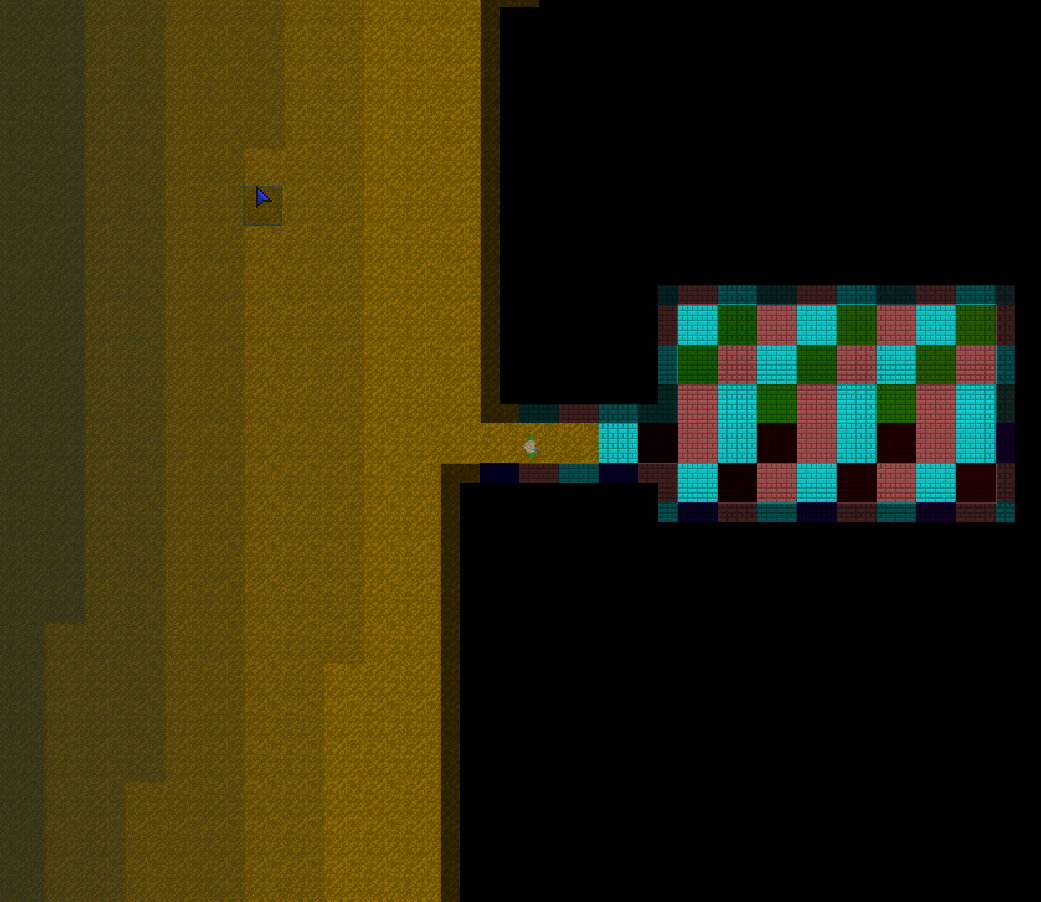
What am I looking at?
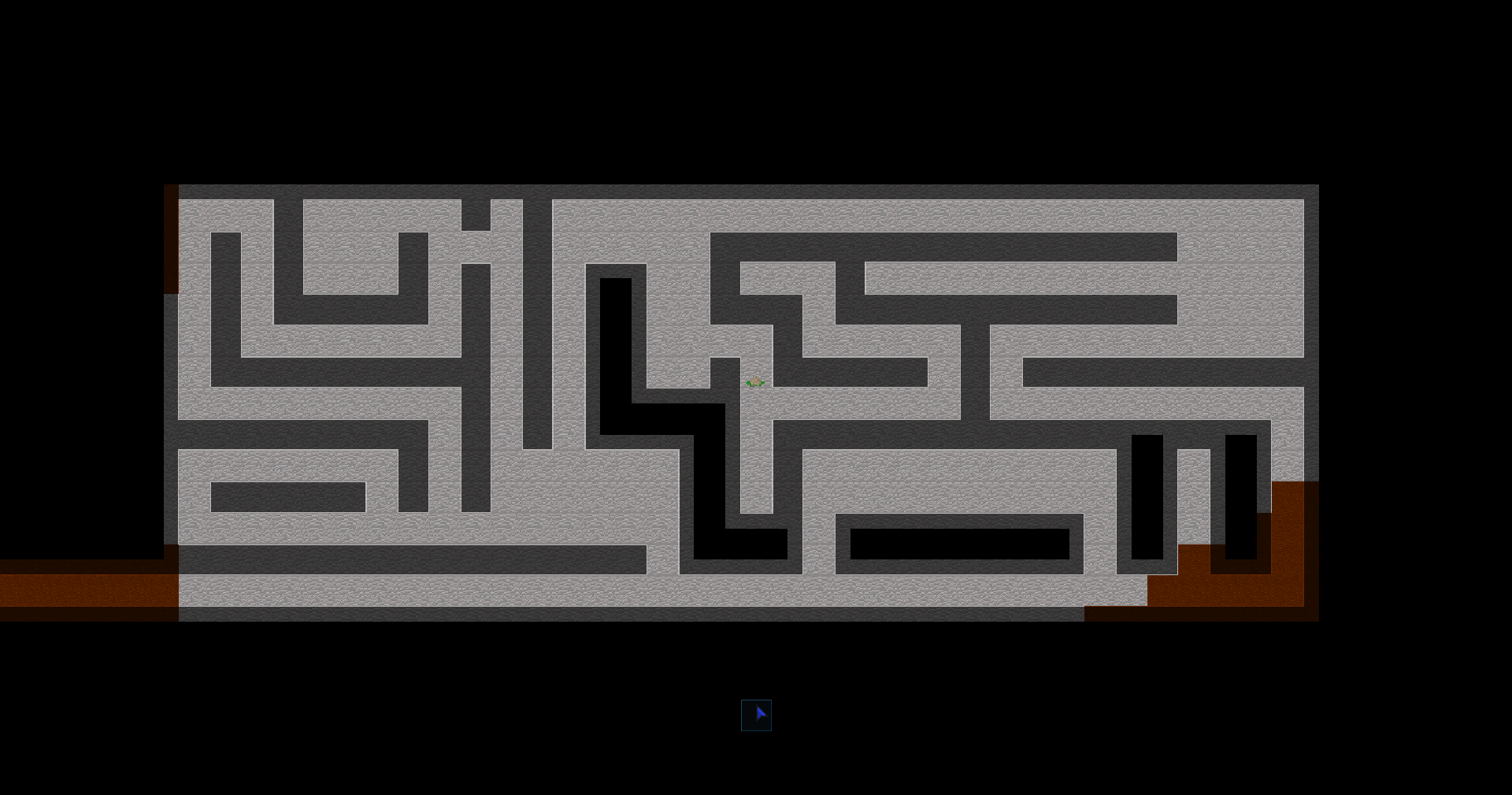
You are looking at a video game that I built in C++, using a minimal number of external libraries (SDL2, SDL_image, SDL_mixer). Specifically we are in a top-down view of a procedurally generated world of tiles (much like Minecraft). However, the main difference is that this game will primarily be 2D in nature. Here, the brightest tiles represent tiles with the highest altitude. By contrast, the darker tiles represent ground that is "lower down" and the pitch-black tiles that you can't see represents anything that is inside of a wall. Within the game itself you will eventually have the option to have multiple "views" (like looking up, horizontally, etc). But right now, the only view that is currently implemented and shown is the "down" view.
As the name suggests, this will be a sci-fi themed video game with open world elements - similar to those of Minecraft and other survival games.
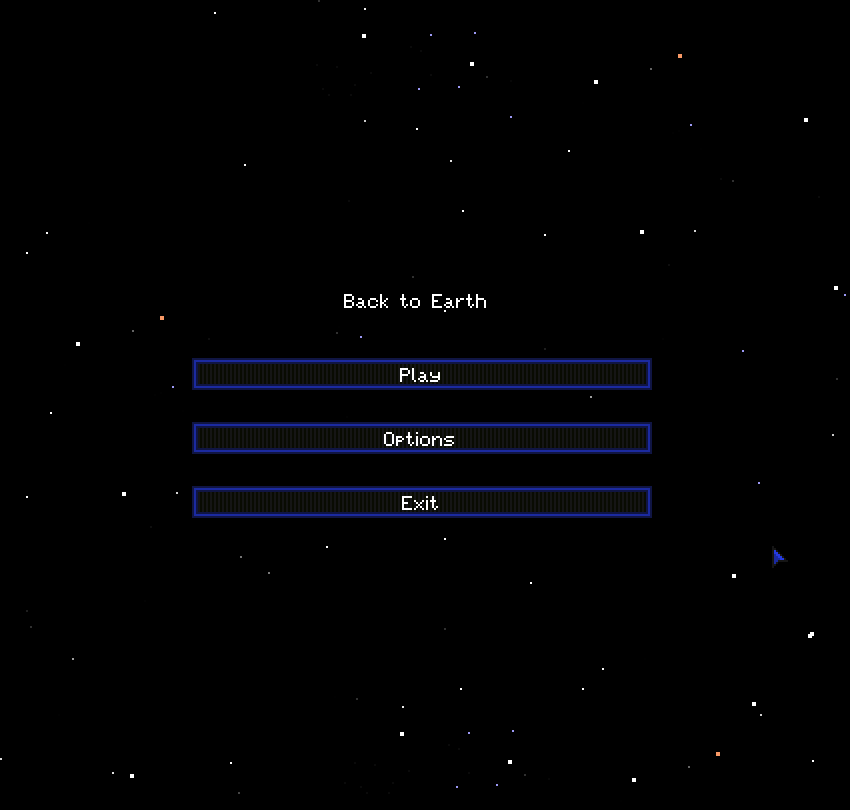
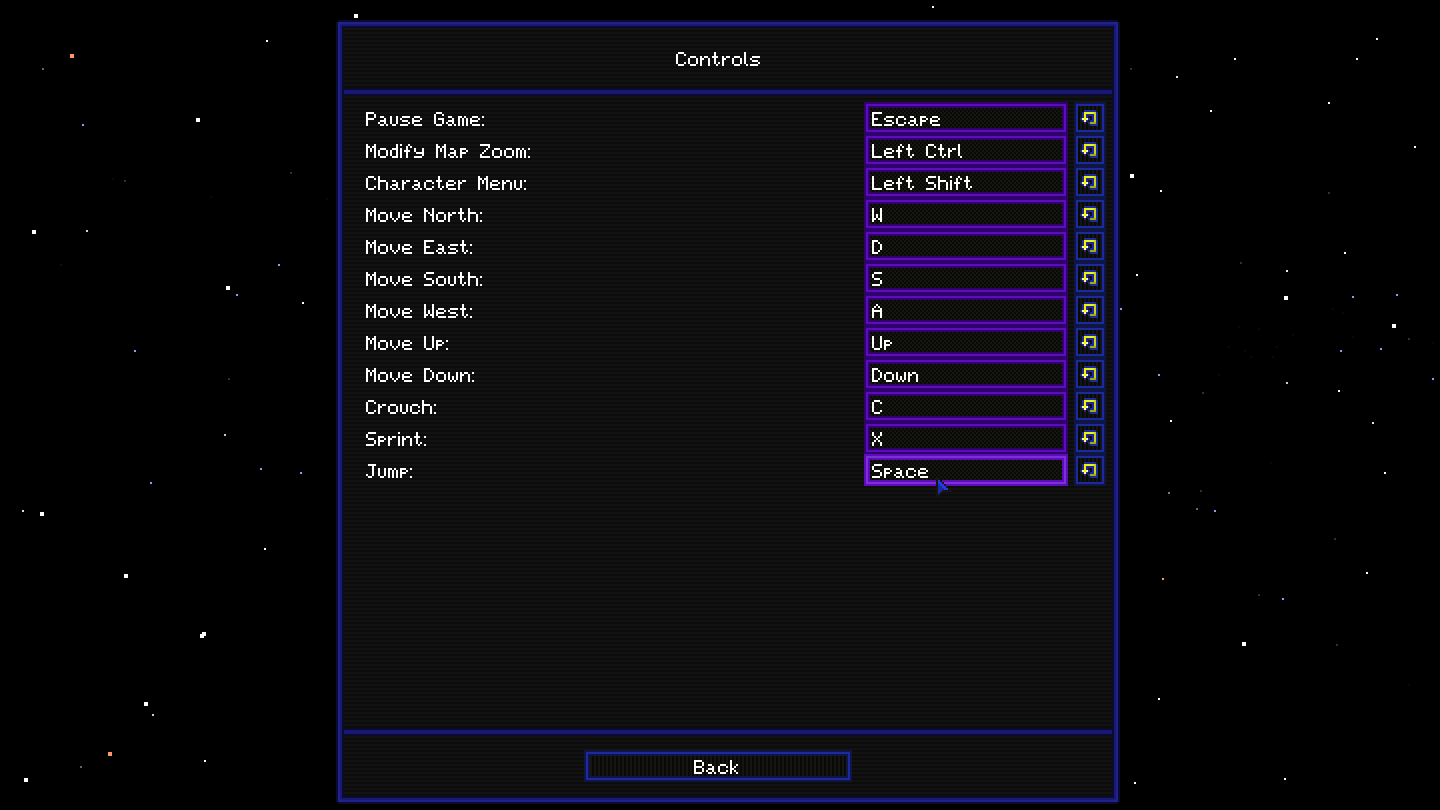
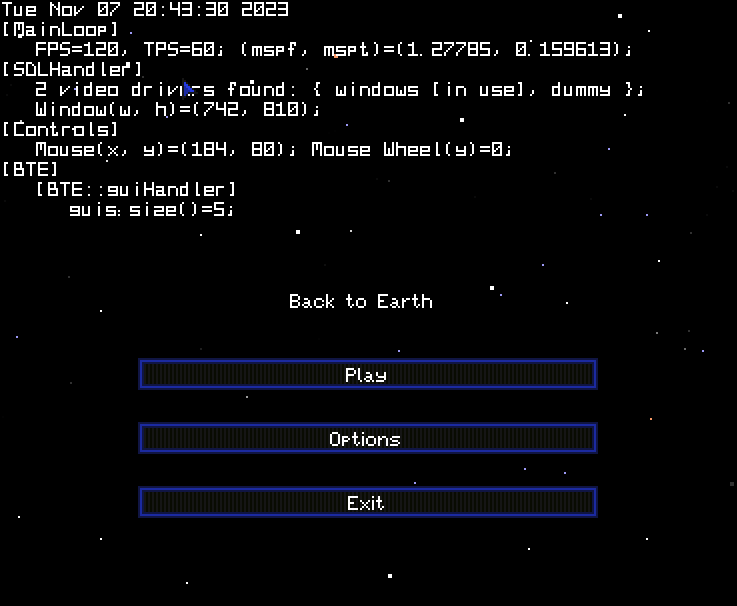
Here are what the title screen and controls menu look like:
|
|
Background & Motivation

I developed this application over the last two years. Right now I would say the base framework of the application (UI, audio, utility classes, file handling, etc) is done. I also now have enough physical features in the application that makes it worth showing off (hence the reason why I built this site).
What encourages me the most, however, is overcoming the development of the 3D tile map that makes up the world. The 2D view of the 3D world I showed you previously incorporates level-of-detailing techniques to make it so that the application doesn't slow down when zoomed out really far. Side scrolling, scaling, and drawing of entities all work very well in this current framework too. In addition to that, the world is practically infinite (until you get billions of tiles away from the origin, at least).
All of that, in addition to saving artificial tiles placed/destroyed by the player, has been implemented with very few serious bugs. These are all relatively recent developments - the hard part is out of the way and now actually implementing cool features is going to be much easier.
Oh, and just to make one last thing clear - I don't plan on ever making money off of this, nor do I plan on going into game design in general. This is just a thing I'd like to do on the side, just to see how far I can get with it. I also think it helps to have more examples out there of how to work with the SDL2 libraries, since in my experience I have had quite some trouble with them. The documentation out there on the internet isn't the best in my opinion.
Why Bother?
Any person might ask a few questions that somewhat go along the lines of these:
- Why use C++ instead of Java/Python/etc?
- Why not use a game API or engine, like OpenGL/Unity/etc?
- Why not use a library for X?
The answer to all of the above is that I wanted to see how cross-platform I could get my application to be while only having basic tools available. Or... I guess a more accurate way of putting it: I wanted it to make it hard on purpose. This was so that I could learn the basics of C/C++ (especially those tricky pointer variables). I would say that my programming skill has grown considerably as a result of this project. Though, there are downsides that come with that: the codebase is getting bigger, and old code I wrote a year ago either doesn't make sense to me, or just turns out to be badly written upon any second inspection.
Another motivation I have for doing things this way is the lack of "good" documentation out there for SDL2 in general. I'm sure most people in my position two years ago would have had to do a lot of work building things from the ground up rather than having examples and documentation out there to work off of.
How Has Development Gone?
Surprisingly, I would say development is going very smooth. The hardest (and latest) thing I've been working on is the level saving I briefly mentioned in the "Background" section. Right now, that feature is in mostly working order, although it is not implemented within the world just yet.
The C++ language, much like its parent, C, is known to be hard to debug compared to higher-level alternatives like Java. All it takes is a "segmentation fault (core dumped)" error which could result in a who-knows-how-much amount of work to find a single piece of memory that wasn't handled correctly. A general rule of thumb that I've learned is to not use pointers if possible, as they can be dangerous if misued. Unfortunately, a lot of the codebase still suffers from having pointers all over the place, back when I was just learning the basics of C/C++. And in addition to that, there's a lot of little issues that pop up here and there that I have to fix.
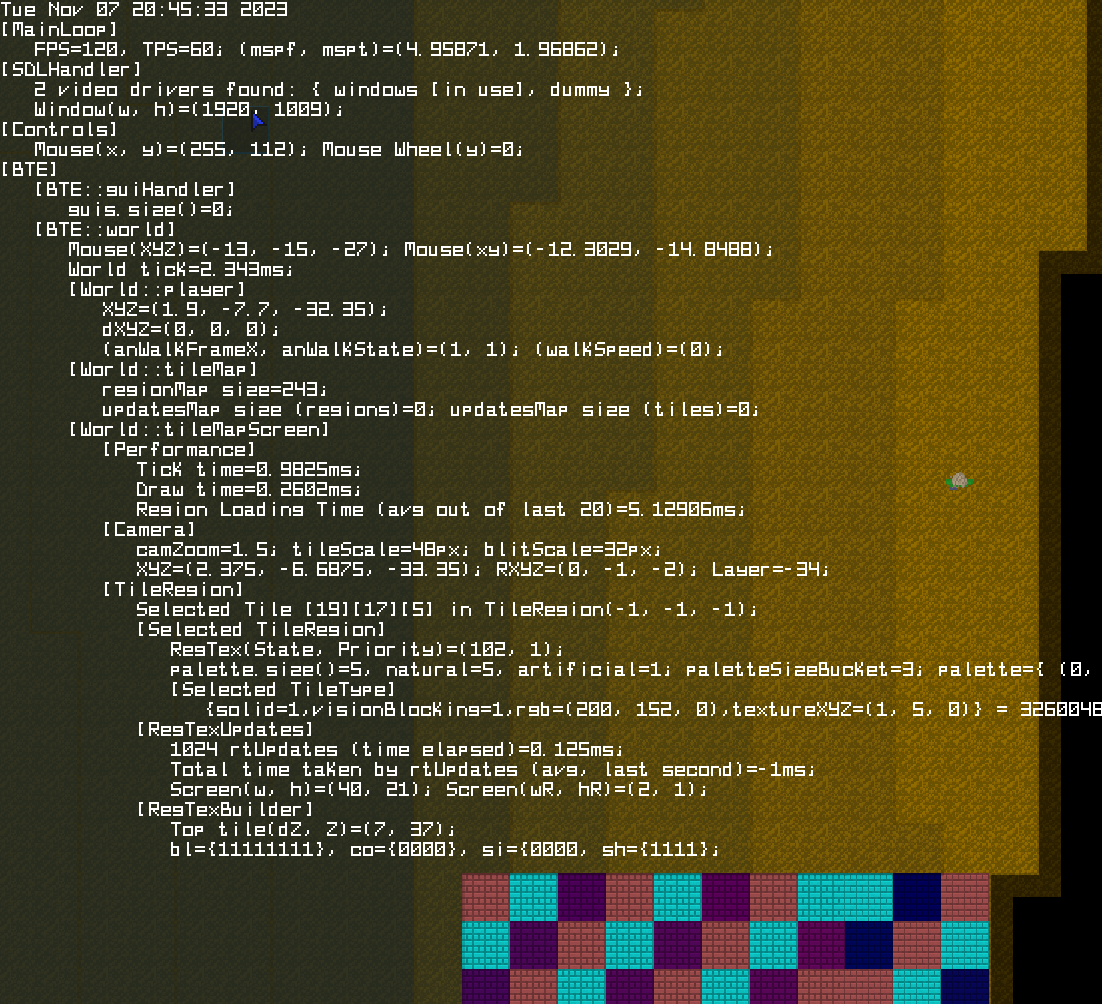
To help deal with all those things, I made a debug screen. Here you can see two examples: one at the title screen and one in-game:
|
|
Additionally, there exist the beginnings of a command prompt which normal users can't access, unless they type in a secret password only I know. It allows for special debug tasks, like showing sprite sheets on the screen, teleportation throughout the world, and other cool things. That functionality is really useful, combined with the ability to dynamically reload assets using F9. You can see all these things in action in this video (you may have to Right-click & Open in new tab to play it).
Notes:
- You can see me typing the commands in at the far bottom of the screen (you may have to move your cursor off the video).
- The first teleportation command teleported me into the ground, resulting in an all black screen.
- The second teleportation command was successful.
- At the end of the video I destroy some of the terrain and fly up/down vertically.
So, When Will It Be Done?
To download the latest version of Back to Earth, visit this page.
There is one big issue I am having regarding cross-platform compatibility: automatic directory and file creation. I have it working perfectly on Linux but not on Windows, which results in many textfile-based settings not saving for Windows users (in some cases). But that is the only major thing plaguing this piece of work right now. Fortunately, I have gotten other file operations, such as image and audio loading, to work reliably on both platforms.
Where Do We Go From Here?
As I alluded to on the home page, this will be an open world, sci-fi-themed survival game. Here are some things that may be implemented in the near future:
- A Health bar and Oxygen bar that the player must keep track of to stay alive.
- The need to wear a space suit when on most planets, or in space.
- A proper inventory system where you can interact with items. Currently I have the GUI set up, but nothing beyond that.
- Basic enemies in the world.
I am pretty confident I will keep working on this for some time. Regarding a specific list of features: I don't really have an set goal in mind, and it'll likely end up being me adding random things if I feel they should be in the game. However, there will be a definite beginning and end (hopefully in the near future). The beginning involves the player having to survive stranded on an extrasolar planet with limited resources. The mid-game would involve the player building their first rocket to another planet and expanding their tech capabilities. And finally, the end-game would involve the player building an artificial wormhole to finally get back to Earth.
I might even update this page every few months if I get enough people interested.
Download
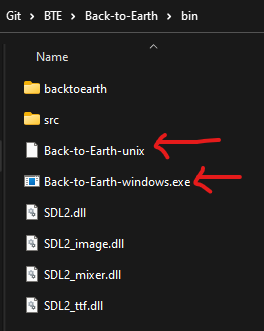
You can run the latest version of Back to Earth if you are on Windows or Linux. Just download and extract the repository files onto your computer, from here. After that, it's as simple as going into the "/bin" folder and selecting the appropriate "Back-to-Earth" executable file. If I setup everything correctly, it should run on your computer without any major problems (I would REALLY like to know if there are issues).